
Documentation
Prerequisites
Before you can build and run the app, install these tools on your machine:
- VS Code — with the Flutter and Dart extensions (install this first; the Flutter extension can install the Flutter SDK for you).
- Flutter SDK — the framework the app is built on.
- Android SDK — required to build for Android (Android Studio itself is optional).
- Xcode — required to build for iOS (macOS only; not optional).
- Firebase CLI + FlutterFire CLI — used to wire up Firebase.
make— drives the workflow scripts.
1. VS Code (recommended)
The whole workflow runs from VS Code — no Android Studio required. Install it first, because the Flutter extension can install the Flutter SDK for you in the next step.
- Install VS Code.
- From the Extensions view (⇧⌘X / Ctrl+Shift+X), install the Flutter extension. It includes the Dart extension as a dependency, so you don't have to install it separately.
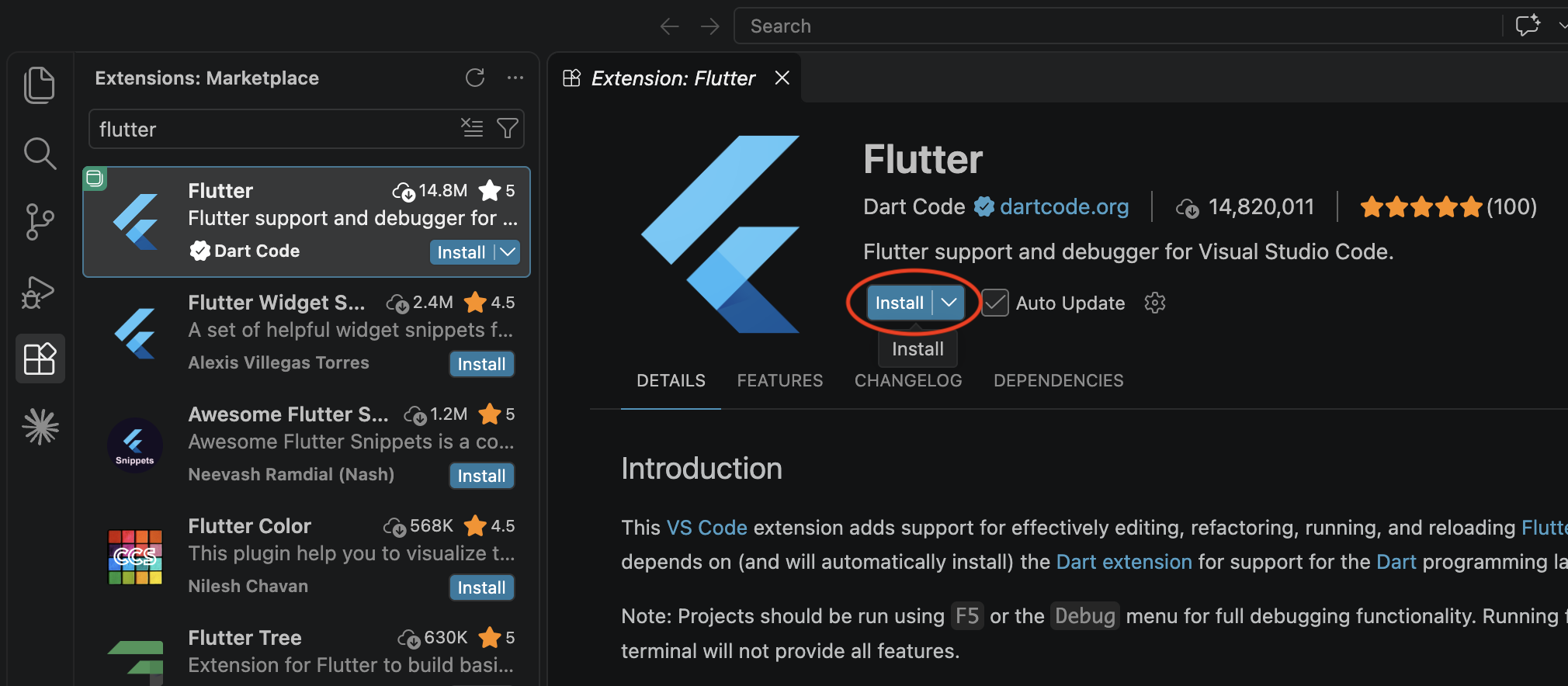
From VS Code you can create emulators, pick a target device, run, debug, and hot-reload.
2. Flutter SDK
Follow the official installer for your platform: flutter.dev/docs/get-started/install. Pick your OS on that page and follow the steps as-is — the Flutter team keeps that page in sync with every SDK release. Their recommended path uses the VS Code / Code OSS extension you just installed to install, set up, and try out Flutter, so keep VS Code open while you go through it.
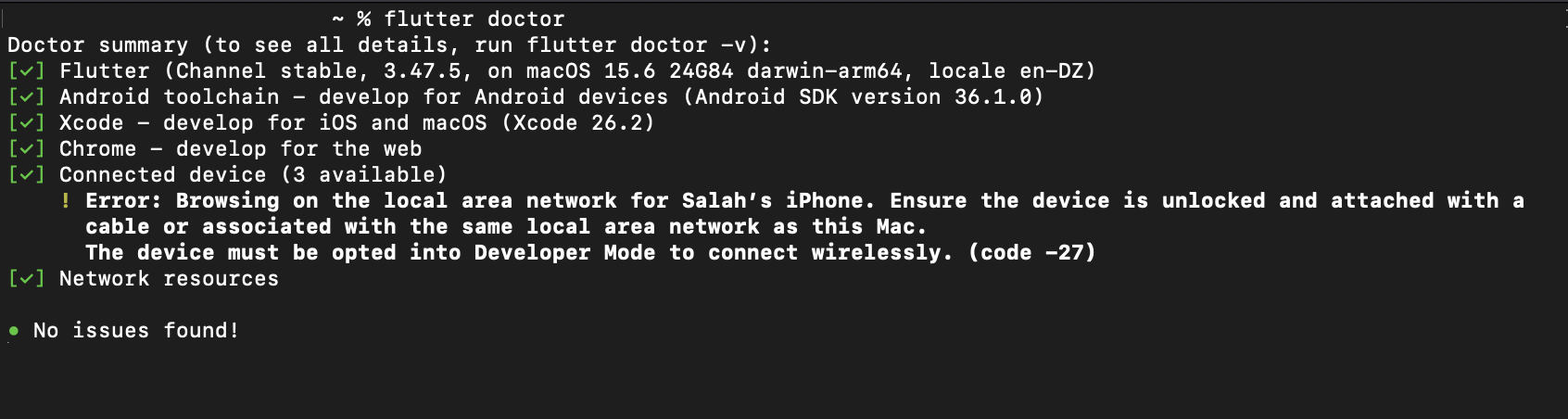
When it's done, verify:
flutter doctorEvery category that applies to your target platforms should be green. Anything red? flutter doctor prints the exact next step to fix it.
3. Android SDK
Flutter needs the Android SDK to build for Android. Android Studio itself is optional — installing it is one way to get the SDK, but not the only one.
Two ways to install:
Pick one of the two paths below — you don't need both.
Option A — Via Android Studio (easiest)
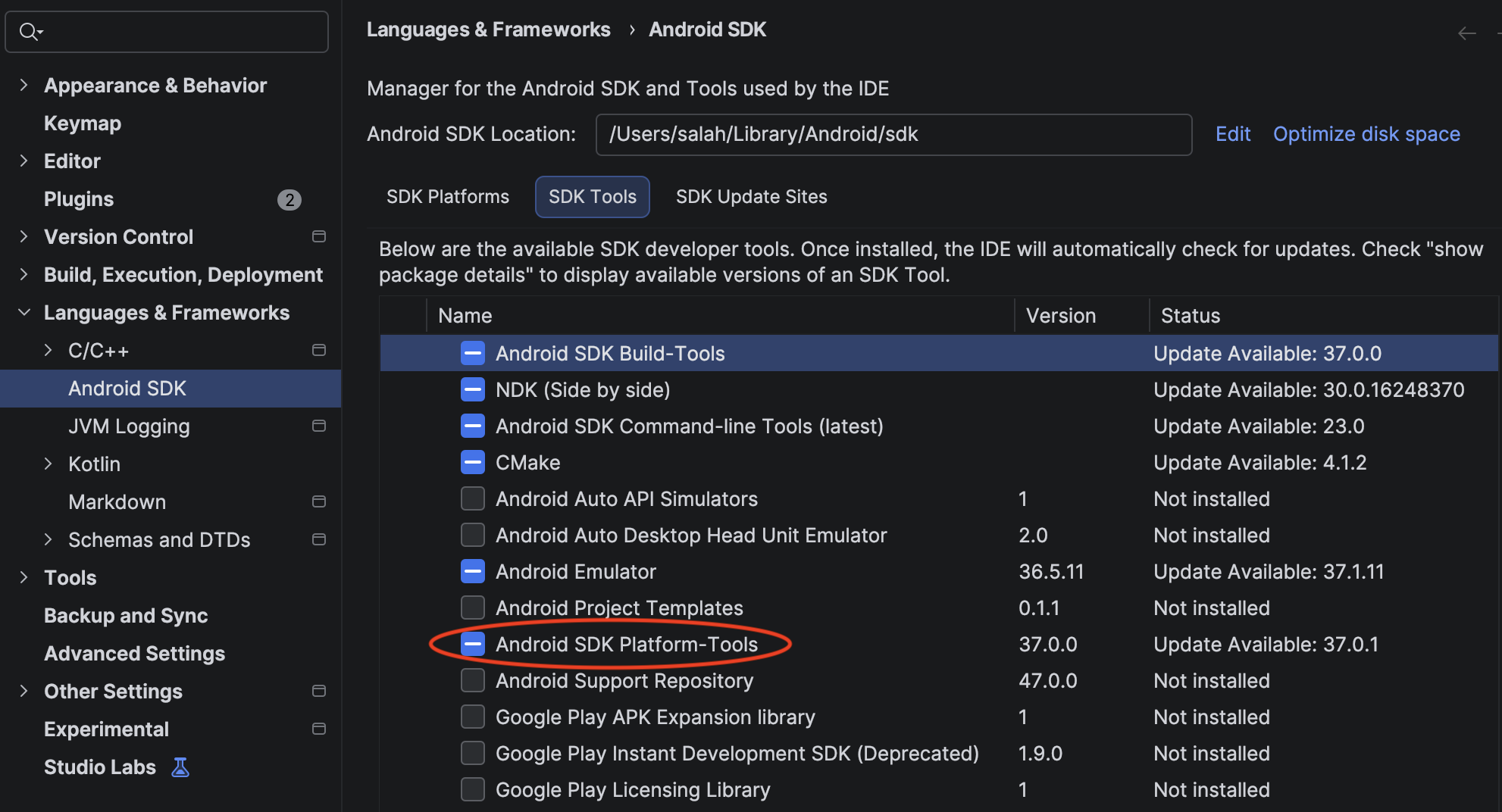
Install Android Studio and let its SDK Manager fetch the required components. This is the most beginner-friendly path: everything comes bundled, including a Java runtime (JDK) that Flutter automatically picks up, so there's nothing extra to configure.
After installing:
- Open Android Studio once so it can finish downloading its components.
- In the terminal, accept the SDK licenses:
bash
flutter doctor --android-licenses
That's it — skip Option B and jump ahead to the next section.
Option B — Standalone (lighter, no IDE)
If you don't want to install the full Android Studio IDE, you can grab just the Android tools instead.
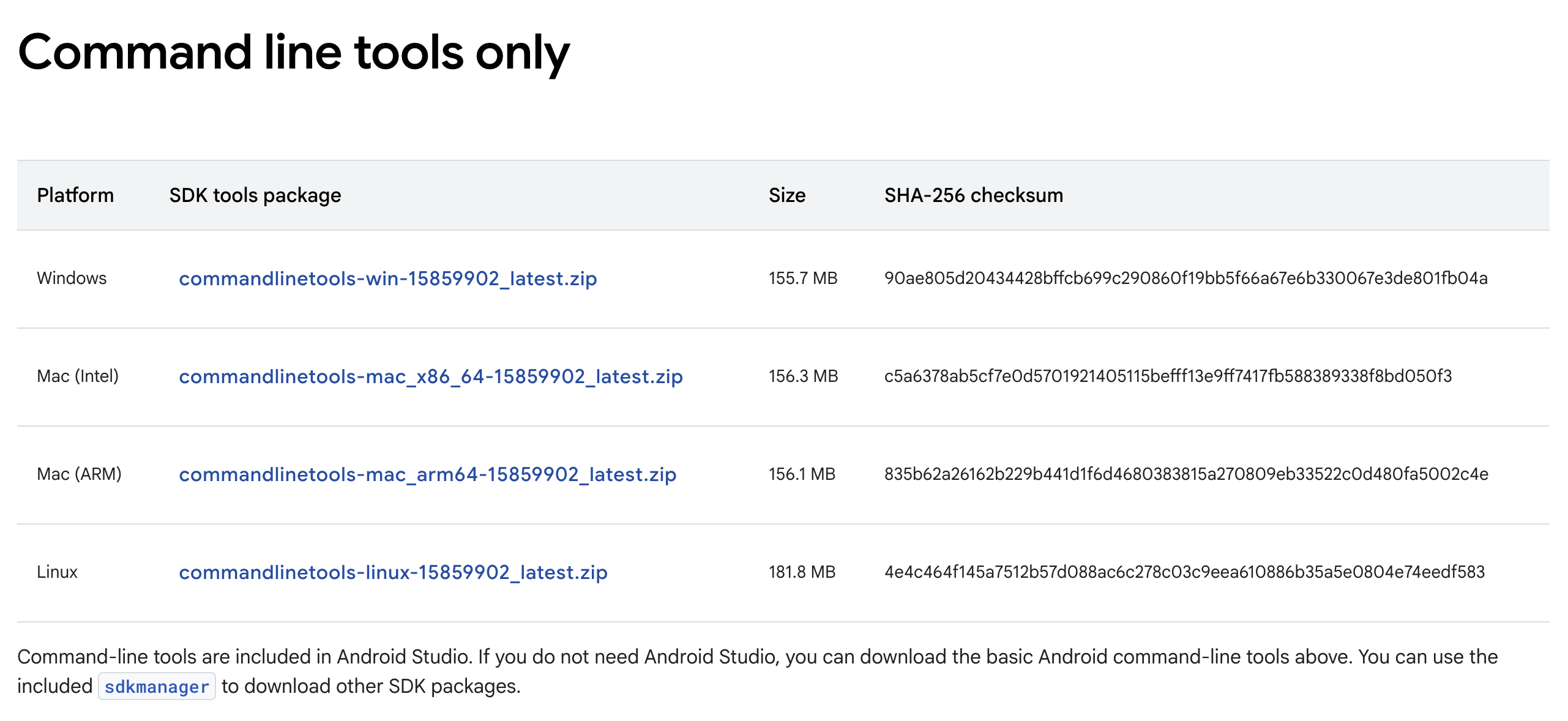
1. Install the Android command line tools. Download the Command line tools from the Android developer site (scroll to Command line tools only) and unzip them somewhere permanent, like ~/Android/cmdline-tools/.
2. Install the SDK components. From that folder, run this one command to install the three pieces Flutter needs — Android's platform tools, its build tools, and the Android platform files:
sdkmanager "platform-tools" "build-tools;36.0.0" "platforms;android-36"36 here is the Android version this project targets. If the project ever bumps to a newer version, replace both 36s with the new number — you can find it inside android/app/build.gradle next to compileSdk and targetSdk.
3. Accept the SDK licenses.
flutter doctor --android-licenses4. Install a JDK. Because you're not installing Android Studio, you need to install a Java Development Kit (JDK) separately and tell Flutter where it is. Install JDK 17:
- macOS/Linux —
brew install openjdk@17or your package manager. - Windows — download from adoptium.net.
Then point Flutter at it:
flutter config --jdk-dir "<path-to-jdk-17>"4. Xcode (macOS only)
Required only if you're shipping to iOS. Xcode is Apple's official development app, and Flutter needs the full version to build iOS apps — the lightweight "Command Line Tools for Xcode" package on its own is not enough.
- Install Xcode from the App Store (large — several GB).
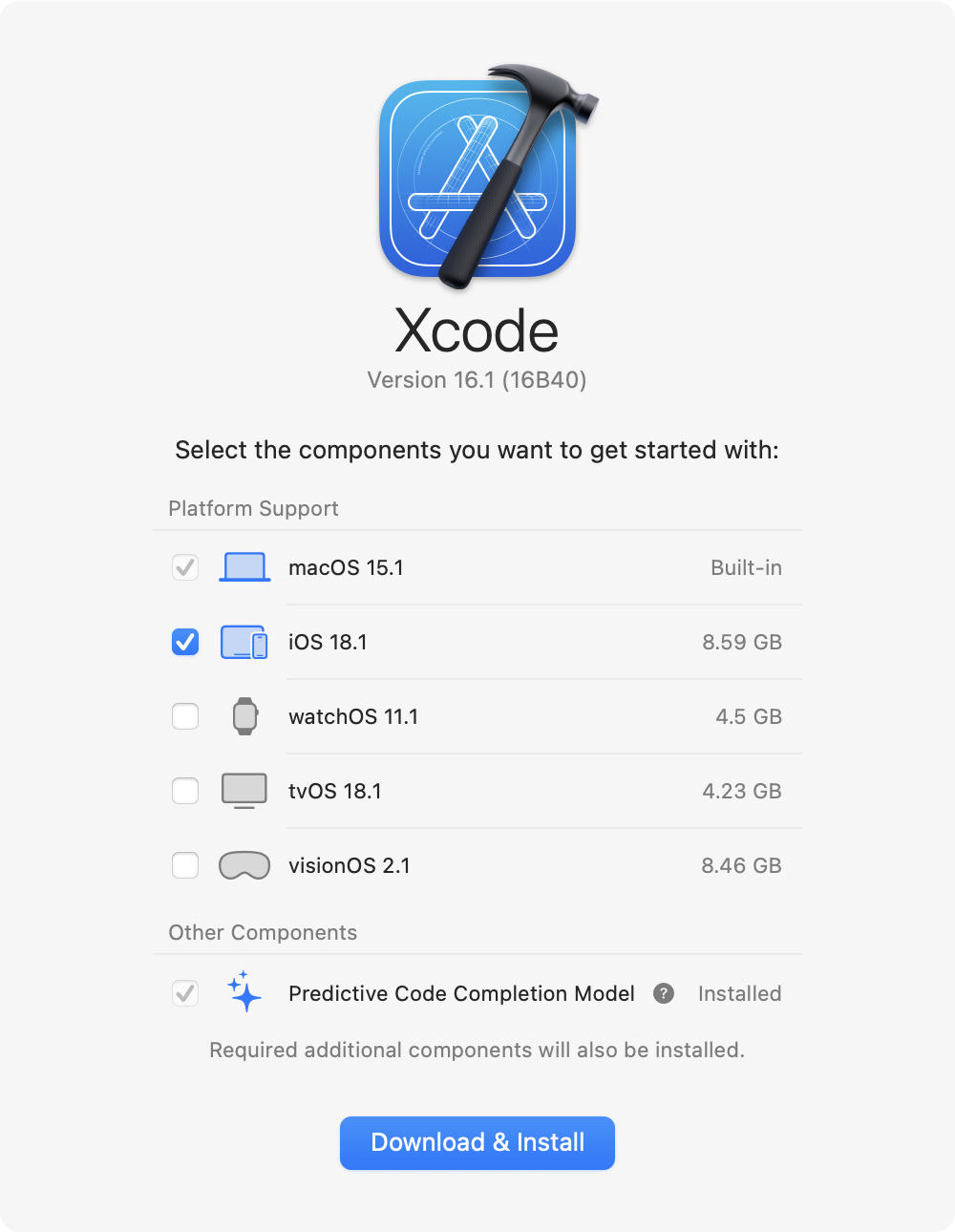
- Open Xcode for the first time to complete its setup. Xcode will ask you to accept the license and finish installing a few extra components — just click through the prompts as they appear.
You'll also need CocoaPods for Flutter's iOS build. Don't worry about installing it up front — flutter doctor will detect it as missing and print the exact install command to run.
5. Firebase CLI & FlutterFire CLI
The app uses Firebase for services like analytics, crash reporting and cloud messaging. Two small command-line tools are needed to connect the app to Firebase later — install both now.
1. Install the Firebase CLI
The Firebase CLI is a tool made by Google that lets your computer talk to Firebase. It's installed via npm, which comes with Node.js — so install Node.js first (any recent version), then run:
npm install -g firebase-tools2. Install the FlutterFire CLI
The FlutterFire CLI is a helper that connects your Flutter app to Firebase. Install it with this command:
dart pub global activate flutterfire_cliAt the end of that command, Dart prints a message that looks something like "Warning: Pub installs executables into … which is not on your PATH." If you see that message, copy the folder path it shows and add it to your system's PATH — this is what lets you run the flutterfire command from anywhere. If you're not sure how to do that, search for "how to add a folder to PATH on [your OS]" — it's a one-time setup.
You'll use both tools later — see Installation → Firebase for the full walkthrough.
6. make
The project ships with a small set of shortcut commands (like make build, make run) so you don't have to remember long Flutter commands every time. These shortcuts are powered by a tool called make, which is already installed on most computers but not all. Here's how to get it depending on your system:
- macOS —
makecomes with Xcode, so if you installed Xcode in step 4 you already have it. If not, install Homebrew and then runbrew install makein the terminal. - Linux —
makeis usually preinstalled. If it isn't, runsudo apt install build-essential(on Ubuntu / Debian) or your distro's equivalent. - Windows — the easiest option is to install Chocolatey (a package installer for Windows) and then run
choco install makein a terminal.
To check that it worked, open a new terminal and run:
make --versionIf you see a version number, you're good to go.
Publishing (later)
You don't need these to build and run, but you'll need them before shipping:
- Google Play Console developer account for Android — play.google.com/console ($25 one-time fee).
- Apple Developer Program membership for iOS — developer.apple.com/programs ($99/year).
Once flutter doctor is green for every platform you plan to target, continue with the Installation section to start configuring the app.
FAQ
Frequently asked questions
Where do I get the latest version of the app?
On your CodeCanyon Downloads page, signed in with the account you bought the app with. Updates are free for life — see the Upgrade Code page for the safe way to move to a new version.Do I need a Mac to publish on the App Store?
Yes. Building an iOS `.ipa` file requires Xcode, which only runs on macOS. Android builds work on any operating system.Why don't in-app purchases work when I install the APK on my phone?
In-app purchases, Play Games and other Google Play services only unlock when the build is uploaded to a Play Console track (Internal testing is the fastest) and installed via the Play Store on a device signed in as a tester.Do you provide the source code?
Yes — every CodeCanyon purchase includes the full Flutter source code plus all assets, so you can customise anything.Can I use the same license for two different apps?
No. Envato's Regular License covers a single end product. If you want to publish a second app based on the same template, buy a second license on CodeCanyon.How long does store review take?
Google Play: a few days for the very first submission, then a few hours to a day for updates. Apple App Store: usually 24–48 hours per submission.