
Fonctionnalités
Documentation
Play Games & Game Center
Leaderboards and achievements ship built-in for both stores:
- Android — Google Play Games Services
- iOS — Apple Game Center
Both are optional. Leave the corresponding *_IS_ENABLED flag at false and the sign-in prompt never shows.
Play Games setup (Android)
Play Games needs an App ID — a numeric project ID that Play generates for you. Without it, the Google sign-in sheet appears but the app never receives a signed-in player.
- Open the Google Play Console → your app.
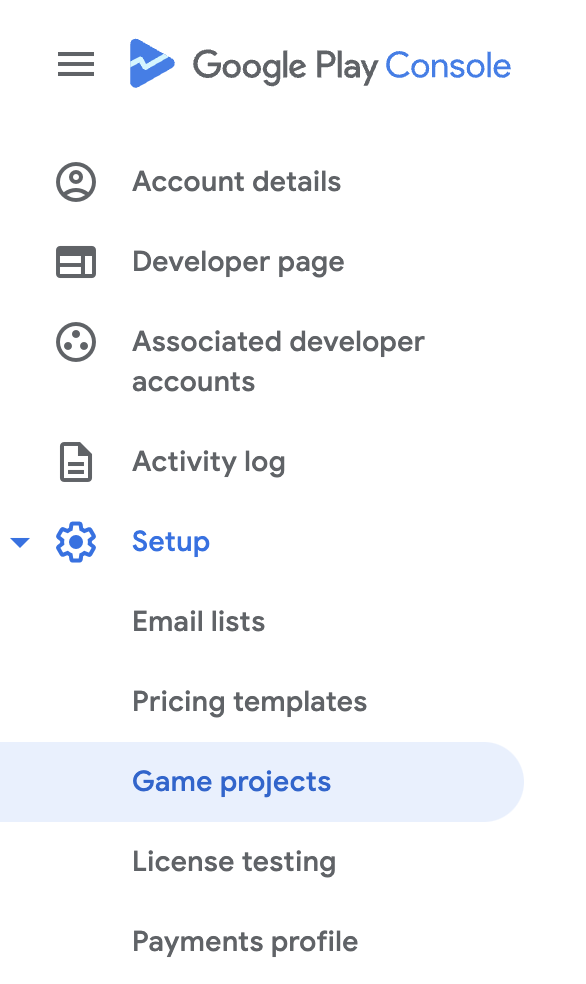
- Go to Grow → Play Games Services → Setup and management → Configuration.
- Follow the flow to link a Google Cloud project. Play issues you a numeric APP_ID.
- In
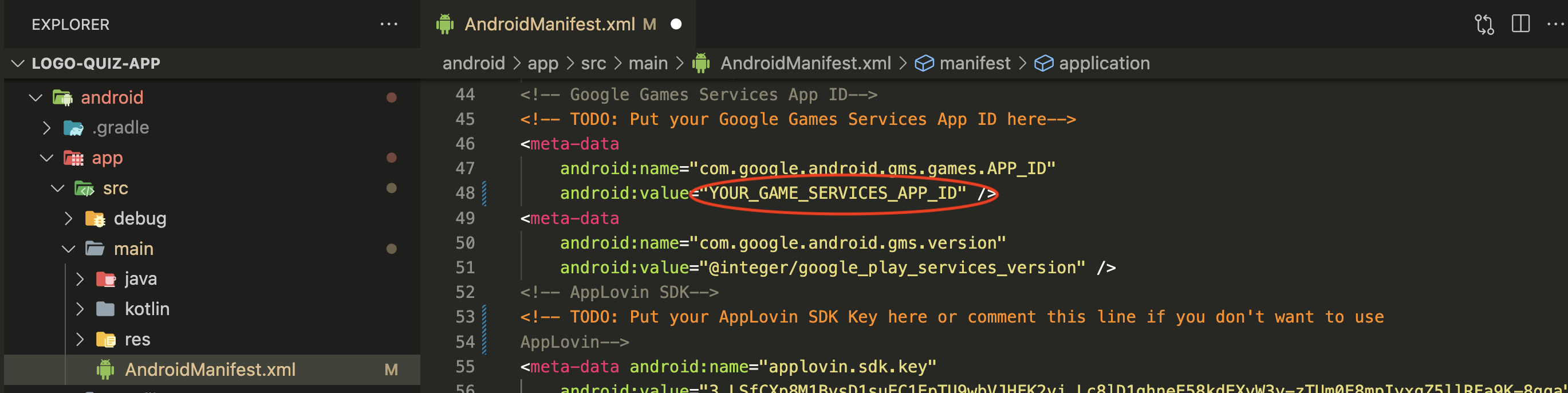
setup.html→ Configurations → Play Games, paste it into GAMES_ANDROID_APP_ID.
The sync step patches this into AndroidManifest.xml as the com.google.android.gms.games.APP_ID meta-data value.
Game Center setup (iOS)
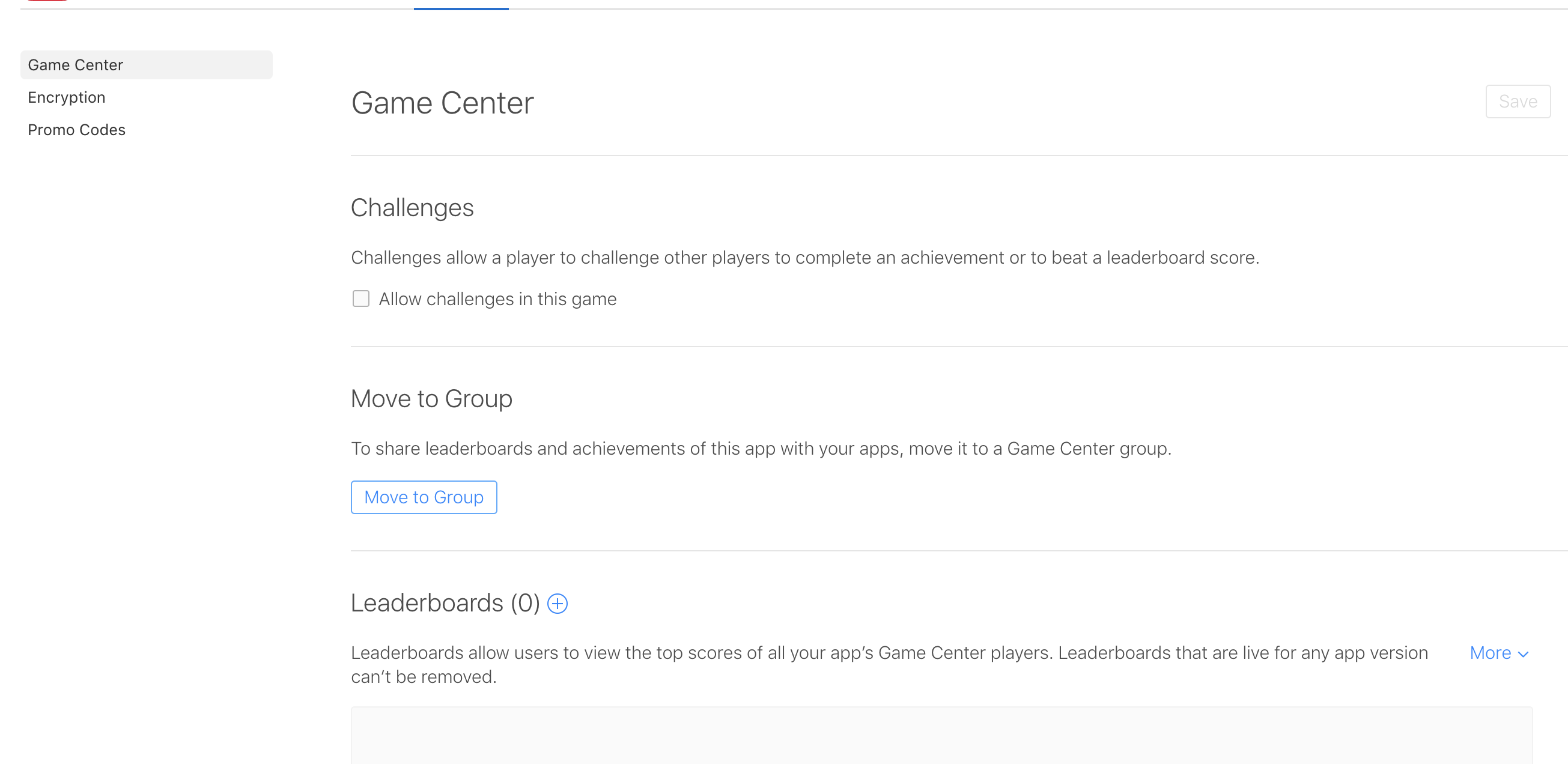
Game Center is bound automatically by bundle ID and needs no manifest entry. You just need to enable the capability in App Store Connect:
- Open App Store Connect → your app → App Information.
- Enable Game Center for your app.
Leaderboards
Once Play Games (Android) and Game Center (iOS) are set up:
- Create a leaderboard in each store console. Note the IDs — they're independent per store.
- In
setup.html→ Configurations → Leaderboards enter:- LEADERBOARD_IS_ENABLED =
true - LEADERBOARD_ANDROID_ID
- LEADERBOARD_IOS_ID
- LEADERBOARD_IS_ENABLED =
Achievements
The app has eight built-in achievement keys — the events that fire an unlock:
| Key | Fired when |
|---|---|
first_guess | Player solves their first logo |
ten_guesses | 10 logos solved total |
fifty_guesses | 50 logos solved total |
hundred_guesses | 100 logos solved total |
all_guesses | Every logo across every mode solved |
first_level_complete | First level fully completed |
no_hints_guess | A logo solved without using any hint |
share_logo | Player shares a logo with a friend |
For each key you want to expose:
- Create the matching achievement in Play Games and in Game Center. Note down the two IDs — they're separate per store.
- In
setup.html→ Configurations → Achievements, add a row with:- key — one of the eight keys above.
- androidId — Play Games achievement ID (leave empty for iOS-only).
- iosId — Game Center achievement ID (leave empty for Android-only).
Only keys listed here fire an unlock. Unlisted keys are silently skipped, so you can ship a subset if you want.
Set ACHIEVEMENT_IS_ENABLED=true.